Personalised Digital Learning Programme (PDLP)
Find out how Hua Yi's PDLP equips students with iPads and digital tools to support learning, with information on financial assistance and data protection measures.
Personalised Digital Learning Programme (PDLP)
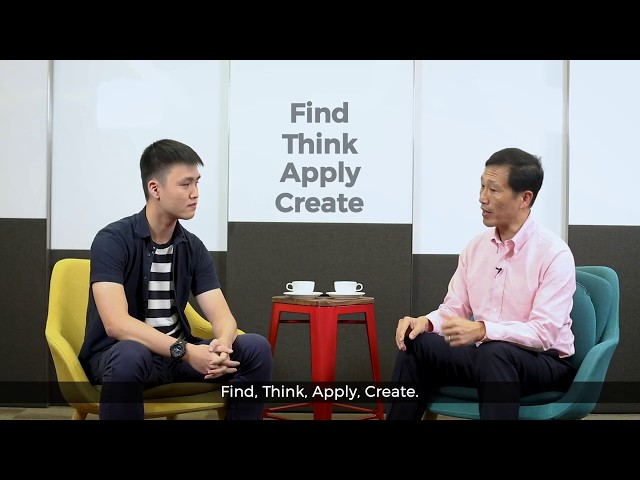
Embracing the use of technology to spark the joy of learning in our students and inspire their pursuit of excellence, Hua Yi has rolled out the use of iPads to all our Secondary 1, 2 and 3 students in 2021. With the latest educational apps at their fingertips, students can learn independently as well as collaboratively, both within and beyond the classroom.
PDLP has unleashed the creativity of our teachers and transformed the learning experiences of our students. The use of Google classrooms, e-books and MOE's Singapore Student Learning Space creates a more impactful and exciting learning experience for Hua Yians. Our students now have opportunities to showcase their learning in varied ways, including animated designs and virtual musical performances. PDLP ushers in exciting possibilities for teaching and learning in Hua Yi, and we are greatly enthused by the journey ahead!
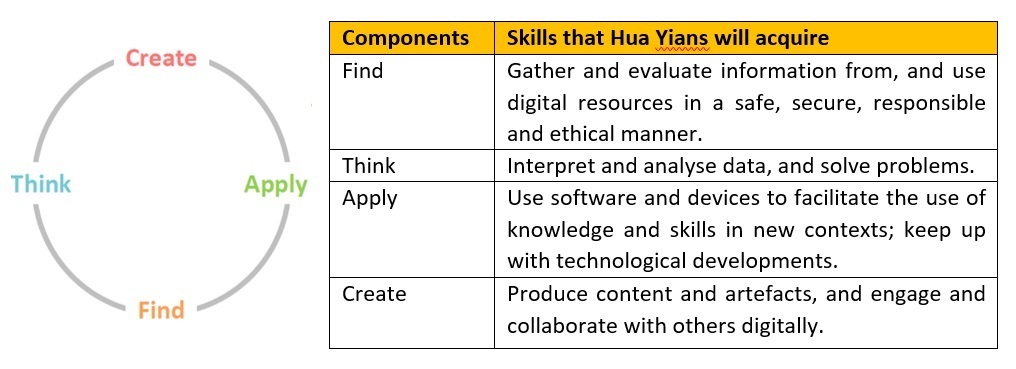
Personal Learning Device
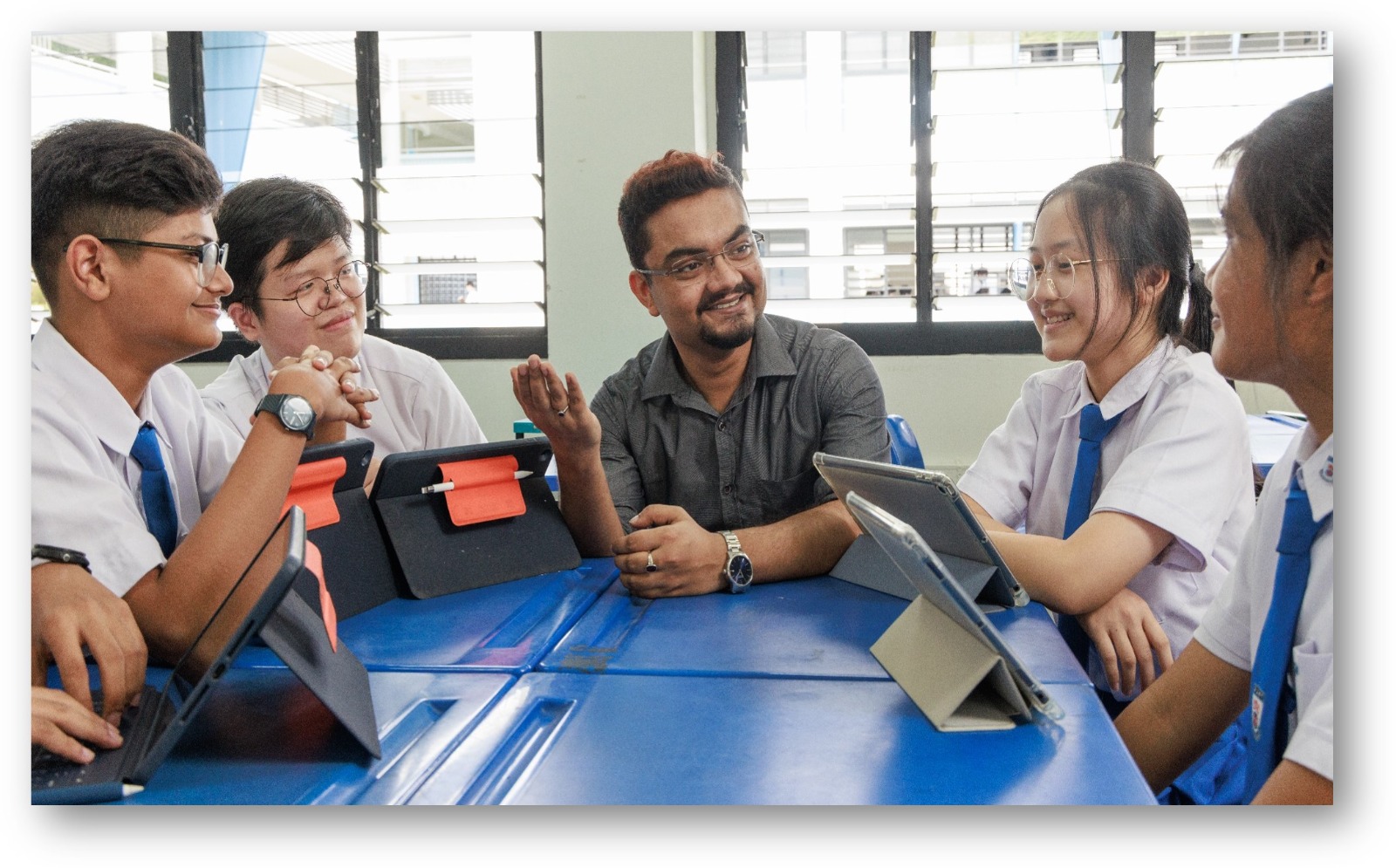
Every Hua Yian will be using the Apple iPad as their personal learning device. Every iPad will come bundled with the Apple pencil and keyboard to maximise the affordances of the iPad as a learning tool.
Not only is the iPad a portable device that offers students convenient learning on-the-move, it also allows for a seamless learning experience alongside existing learning technologies such as the Student Learning Space (SLS). In addition to apps within Apple’s eco-system, students will also gain access a wide range of programmes from other developers (eg. Google Suite and Microsoft Office etc), making it the device of choice in developing students’ application and creative skills.
Each bundle consists of:
1 . Apple iPad 10.9" 128gb Wifi
2 . Logitech Ruggedized Keyboard Case
3 . Apple Pencil
Digital Citizenship and Cyber Wellness
As Hua Yi develops its students to develop the digital skills that enables their learning, it is also imperative that they are empowered to take responsibility for their personal well-being when using technology.
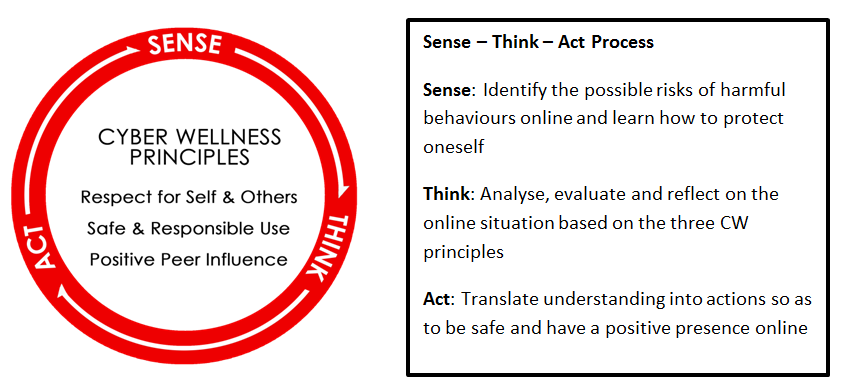
The school adopts MOE’s Cyber Wellness Framework to develop students into responsible digital citizens. Hua Yians’ attitudes and behaviour on the use of technology are guided by the 3 Cyber Wellness Principles. These principles are constantly reinforced when students engage in the “Sense-Think-Act” process, which serves as a structure for them to use technology safely and meaningfully for their learning and interactions.
Financial Assistance
For students who need support:
i. Singapore Citizens students whose gross household income (GHI) is $4,000 and below or whose per capita income (PCI) is $1000 and below, should complete and submit the application form and supporting income documents to the Hua Yi General Office.
Please obtain the hard copies of the application form from the General Office.
ii. Permanent residents (PR) and international students (IS) should also approach the Hua Yi General Office for more information on financial assistance
Roll-Out of IT Applications as part of National Digital Literacy Programme (NDLP)
As part of the NDLP, schools will progressively roll out IT applications that will be vital to students’ learning experience and educational journey.
(a) Student iCON: MOE will give every secondary school student an email address. This is a service provided by Google as part of Google Suite.
(b) Microsoft Pro Plus: every secondary school will be granted a licence to use Microsoft Office tools that include Word, PowerPoint and Excel.
The school will need to use your child/ward’s personal data such as his/her name and class to set up user accounts. Please refer to our Frequently Asked Questions section for more information on the collection of data via these applications.
Frequently Asked Questions
Data Protection
1 . How does the PDLP impact Teaching and Learning (T&L)?
The PDLP will enhance T&L by:
a) Supporting greater customisation and differentiation in learning.
b) Empowering students to engage in self-directed learning anytime and anywhere.
c) Enhancing the development of 21st Century Competencies and Digital Literacy.
d) Empowering teachers with deeper data-driven insights into student learning.
The PDLP also supports the pervasive use of the Singapore Student Learning Space (SLS) in schools which allows students to have seamless access to online learning in and out of class.
2 . Will students be able to access Google Suite for Education and Microsoft 365 for Education?
The Google Suite for Education and Office 365 Pro Plus accounts are available to students through their MIMS accounts, which are provisioned to all primary school, secondary school, and JC/MI students, including students in SPED schools in equivalent levels of study. Products and services available under the: a) Office 365 Pro Plus are Word, Excel, PowerPoint and OneNote. b) Google Suite for Education is listed under this website.
3. How will students without internet access at home be supported?
Students from eligible low-income households may apply for the DigitalAccess@Home scheme by the Infocomm Media Development Authority (IMDA), which provides subsidised broadband access. More information can be found at: . [For schools’ info: Schools can use their SOF to pay for the rental of internet-enabling devices, and to cover damage or loss of both computing and internet-enabling devices loaned to students, as the SOF can be used for all students. Schools should not require parents/students to cover the cost of rental, damage, or loss (except in cases of negligence or wilful damage) in order not to deter parents/guardians from loaning the devices.
4. What is covered under the PLD bundle’s insurance and warranty?
Depending on the school’s choice, devices can either come with the enhanced 3-year, or 4-year, insurance and warranty bundle (which allows for two repairs or one replacement), or the base 1-year insurance and warranty bundle (which allows for one repair or one replacement). The insurance coverage only covers the PLD and the bundled stylus and is only applicable to situations of damages and loss not due to negligence, where the student has taken precautions to safeguard the device. Do note that the warranty and insurance coverage might differ slightly across the different PLD models depending on the Original Equipment Manufacturer (OEM) and/or insurer. Schools should check the Student Device Information Kit (DR4) which highlights key areas of insurance and warranty coverage.
5. Why is there a need for DMAs in PLDs?
The DMA supports students as they learn to use their PLD safely and responsibly. For example, the DMA blocks students’ access to undesirable Internet content such as gambling and pornography and sets appropriate screen time limits. The DMA also functions as an essential tool that facilitates effective T&L by enabling schools to centrally install required educational applications, manage classroom activities through the Classroom Management Service (CMS) and ensure all devices have the necessary software and security updates for curriculum delivery. This comprehensive approach ensures that PLDs remain focused on educational purposes and support students’ use of technology in a safe and managed environment.
References